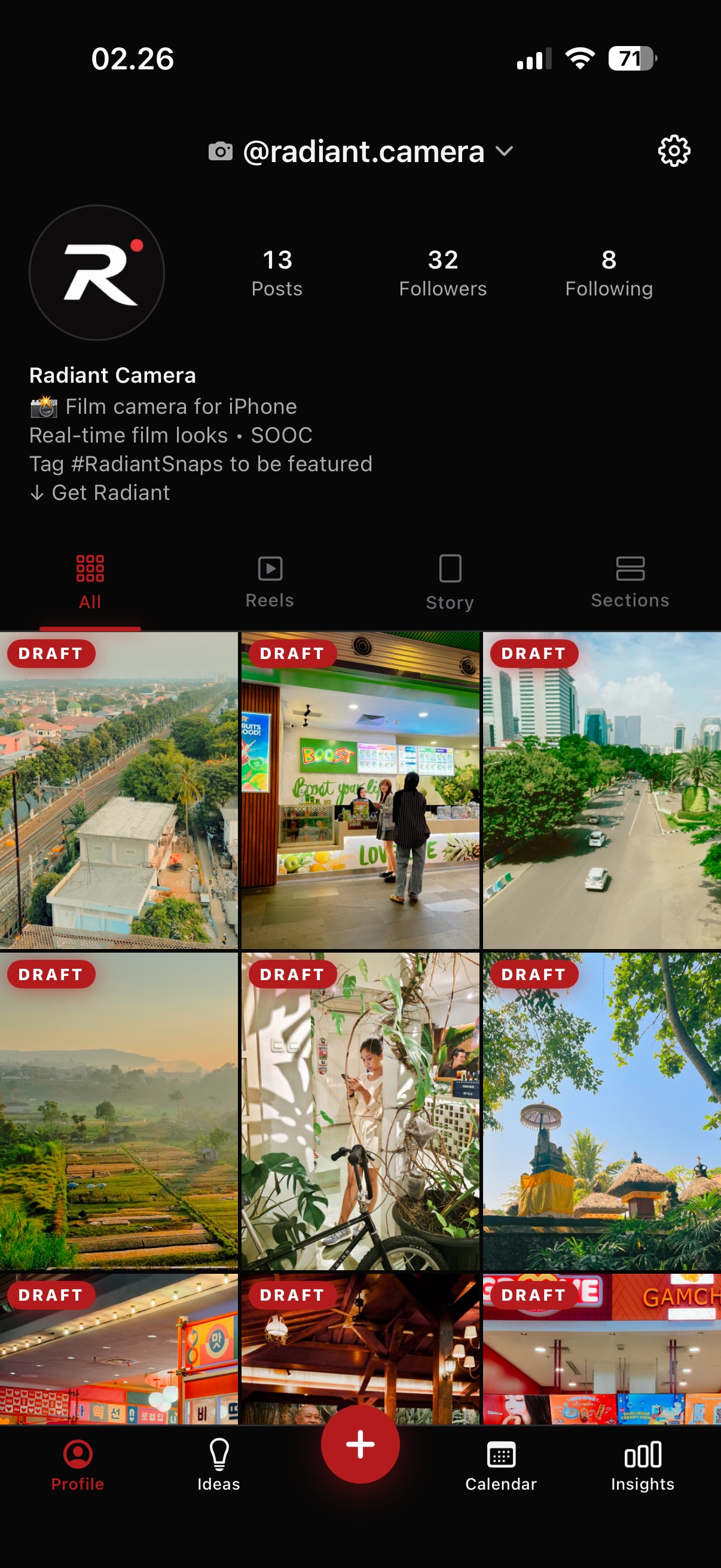
Drag, reorder, and preview upcoming Instagram and TikTok posts against
the grid that's already live. Pin them to a calendar, get a nudge when
it's time to post, and let a private, on-device AI help you write
captions, shape ideas, and decide what's worth boosting. It all syncs
across iPhone and Mac.
InstagramTikTokOn-device AIiCloud syncPrivate by design
Features
Everything you need to plan a cohesive feed.
Built for solo creators and small teams who care how the grid reads, not just what each post says.
Visual grid planning
Drafts sit side-by-side with your live grid. Long-press to drag a planned post into any slot and feel out the composition before it ships.
Calendar & reminders
Pin ideas and drafts to the days you'll post them, drag to reschedule, and get a gentle "time to post" nudge when the day arrives. Radiant never posts for you, it just keeps you on cadence.
On-device AI assistant
Powered by Apple's Foundation Models: drafting, caption studio, idea expansion, grid and post checks. It runs entirely on your iPhone, so nothing leaves the device.
Promote & Boost Advisor
Should you put money behind a post? The advisor reads each post's momentum and engagement to call it: ride, boost, or skip. It also tells you when to stop spending.
Multi-platform, native UI
Connect Instagram and TikTok. Each account gets its real profile layout: IG's avatar-and-stats row, TikTok's centered handle with Following/Followers/Likes.
Platform-aware insights
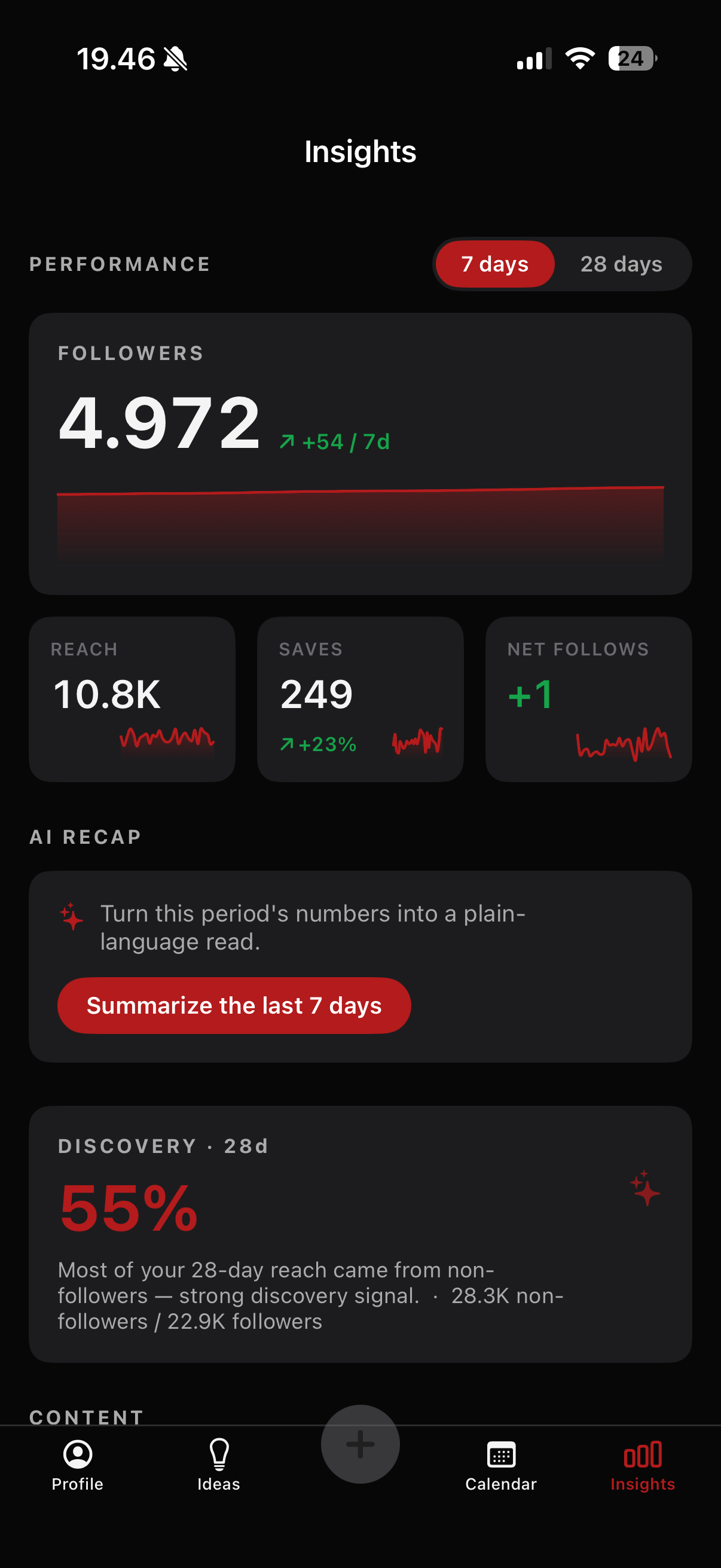
Follower trends, top posts, best time to post, engagement rate, viral hits, capped with a plain-language AI recap. The view rearranges around the metrics each platform exposes.
Synced across iPhone & Mac
Your grid, drafts, ideas, and plans sync through your own iCloud. Plan on the Mac, post from your phone, and it stays in step, with photos carried along. No Radiant account, no server of ours in the middle.
Private by design
Drafts, ideas, and access tokens live in the iOS Keychain and your on-device store; sync runs through your private iCloud. The AI runs locally too. No accounts to create, no servers of ours to trust.
On-device AI
An assistant that never phones home.
Built on Apple's Foundation Models. The model ships with iOS, so there's no download, no API key, and nothing sent to a server. Six ways it pitches in:
Insights recap
Turns the week's numbers into a short, honest read of what moved and what didn't, phrased from real metrics it can't invent.
Draft with AI
Type an idea, even just a title, and get a hook, outline, caption, CTA, and hashtags. It reads your reference images for visual direction.
Caption studio
Rewrite a caption shorter, punchier, or warmer, or adapt it across platforms, then generate captions straight from a photo.
Grid check
Measures palette and brightness cohesion across your recent tiles, including planned drafts, and flags the ones that'll break the look.
Post check
Compares one post against your own baseline of reach, saves, views, and hook, then frames the why as hypotheses to test, not false certainty.
Idea capture
Keep a running board of content ideas with notes and reference images, then expand any of them into a ready-to-shoot brief.
How it works
From empty grid to confident publish.
Connect
Sign in once with Instagram or TikTok. Your existing posts and stats appear as locked tiles, exactly the way they look on the platform.
Plan
Add drafts from your photo library, pick a cover frame, write a caption, or let the on-device AI draft one. Drag them around the grid, pin them to a day on the calendar, and let the reminders keep you on cadence.
Publish
When the order's right, open the post in the platform's own app and ship it. Your local grid stays in sync with the live one.
A calmer feed, one tile at a time.
Personal MVP, built in SwiftUI. Connect your accounts and try it on your real grid.